
Choosing remote desktop software can easily become a comparison of prices, the number of devices and image quality. Yet when you give someone access to a computer, company documents, customer data and access to internal systems are also at stake. Security should therefore be one of your first selection criteria.
How can you distinguish strong protection from general promises? Check how the application encrypts sessions, who can initiate a connection, how you can restrict their permissions and whether you control the relay infrastructure. Below, we explain the key mechanisms and show how Remotly uses them.
1. AES-256, RSA and TLS — examine the complete security model
Encryption protects data transmitted between devices: images, audio, files, and keyboard and mouse input. It is worth checking not only the algorithm’s name, but also how keys are exchanged and how the other endpoint is authenticated.
In Remotly, session content is encrypted using AES-256, while RSA-4096 is used for key exchange and authorisation procedures. The platform also supports TLS 1.2 and TLS 1.3 for additional transport protection. These mechanisms serve different roles and work together to secure the connection.
2. End‑to‑end encryption — including connections through a relay
End‑to‑end encryption means that session content is encrypted between the endpoint devices. A server forwarding the traffic should not hold the keys needed to read it. This matters even when a direct connection is not possible.
Remotly first attempts to establish a P2P connection. If network conditions prevent this, it can use the Connect Anywhere cloud or the organisation’s own relay. According to Remotly’s documentation, the relay cannot read session content because it has no access to the session keys.
Control over infrastructure and keys
3. A self‑hosted relay server — greater control included in your plan
If your company’s policies require control over the route of relayed traffic, check whether you can deploy your own relay. This lets you choose the relay server and where it is hosted, rather than relying solely on the vendor’s infrastructure.
Remotly includes this option in every business plan, with no additional licence fee for the relay server. Pro includes one relay, while Admin, Support and Ultra‑High Quality include unlimited relays. This makes self‑hosted relay infrastructure accessible to small and medium‑sized businesses as well as corporations with budgets for custom deployments.
The relay can run on Windows, Linux or Raspberry Pi, on premises or in a cloud of your choice. Remotly also supports private TLS certificates and password‑protected access to the relay.
4. TPM 2.0 — hardware protection for cryptographic keys
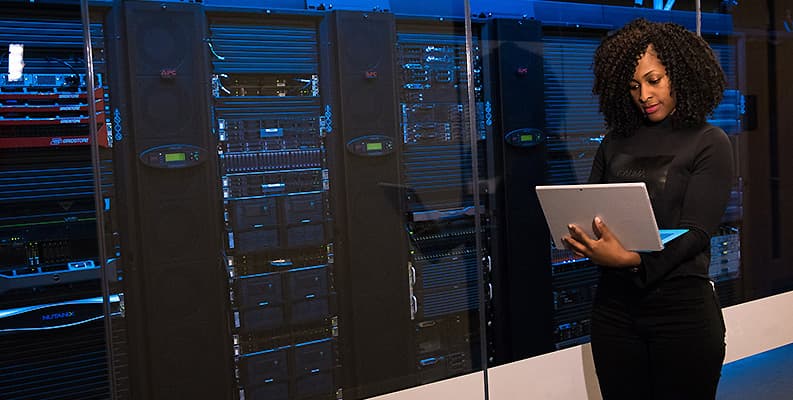
Protecting cryptographic keys is just as important as protecting the data itself. A TPM can generate, store and restrict the use of keys, making them harder to copy and use outside the device. This function should not be confused with video encoding or acceleration of the entire video stream.
Remotly’s current security policy specifies TPM 2.0 support for secure storage of cryptographic keys. This provides an additional layer of protection where the hardware and software configuration supports it.
Who can access your computer?
5. Account authentication and device authorisation
Signing in to an account and approving a connection to a computer are two separate stages of protection. Verifying a user’s identity should go hand in hand with controlling which devices they can connect from and which resources they can access.
Remotly requires explicit authorisation of every new device. Administrators can revoke that authorisation, disable code‑based connections and enforce stricter access policies.
Sign‑in with Microsoft or Google accounts and integration with Microsoft Active Directory / Entra ID are also available. In a business, linking remote access to identity management helps ensure that an employee’s departure or change of role leads to the appropriate changes in permissions.
6. Protection against scams — more than a strong password
Scammers often do not break encryption. Instead, they convince users that they represent a bank, an IT department or another trusted organisation, then ask for remote access. An application should therefore help users assess connection requests, and users should confirm the other person’s identity through an independent channel.
Remotly uses IP reputation scoring and VPN connection warnings. It also generates strong, 14-character alphanumeric codes and provides protection against attempts to guess them. Code‑based connections can be disabled if the organisation does not need them.
A VPN warning is a prompt to check the connection, rather than proof of fraud — legitimate businesses also use VPNs. Equally, the absence of a warning does not confirm that the other person is trustworthy.
For support teams, organisation‑restricted Remotly QuickSupport provides additional protection: the module can be configured to accept connections only from your own company’s technicians. The customer approves the session and can end it at any time.

Permissions, privacy and session oversight
7. Least privilege and privacy while working
A secure session should provide exactly the access needed to complete the task. If showing a problem on screen is sufficient, full control does not always need to be granted immediately.
Remotly offers view‑only mode or full control, along with the option to block clipboard sharing. Privacy mode can blank the remote screen and block the local mouse and keyboard. This matters when you work with confidential documents on a computer left at the office.
Remotly QuickHost supports ongoing administration: it is an agent that starts with Windows and allows connections even when no user is signed in. Access through Remotly QuickHost is restricted to users within the organisation. The management panel lets administrators control user and group permissions, while deployment through Intune helps maintain a consistent configuration.
8. Session history, updates and the ability to revoke access
When choosing a tool for your company, check whether administrators can determine who connected to a computer and when, revoke access and keep agents up to date. This matters both for day‑to‑day management and for investigating suspicious events.
Remotly QuickHost and Remotly QuickSupport provide connection history and on‑demand session recording. Remotly QuickHost supports automatic, digitally signed updates. Check feature availability in your chosen plan. Recordings may contain data visible on screen, so the organisation should establish rules for access and retention.
How to compare tools and test them in practice
Do not assess security using a single metric. The comparison below shows selected, publicly documented mechanisms. It is not the result of an independent audit or a security resilience test.
| Security mechanism | AnyDesk | TeamViewer | Remotly |
|---|---|---|---|
| AES-256 encryption | ✓ | ✓ | ✓ |
| End‑to‑end encryption | ✓ | ✓ | ✓ |
| TLS connection protection | ✓ TLS 1.3 | ✓ TLS 1.3* | ✓ TLS 1.2 / 1.3 |
| RSA-4096 key exchange | ✕ RSA-2048 | ✓ | ✓ |
| TPM 2.0 key protection | — | — | ✓ |
| Connection risk assessment: IP reputation and VPN warnings | — | — | ✓ |
| Self‑hosted relay at no additional licence fee in every business plan | ✕ | ✕ | ✓ |
✓ — confirmed feature; ✕ — the specified mechanism or offering model is not available; — no clear confirmation in the documentation reviewed.
The relay row refers to availability in every business plan without an additional licence fee. AnyDesk offers self‑hosted infrastructure through its On‑Premises option (Ultimate), which is a different deployment model. The Remotly plan determines the number of relays; the company remains responsible for server hosting costs. *TeamViewer: TLS 1.3 for supported sessions from version 15.73; enabled by default from 15.75.
Test security in a real‑world scenario
Add a new device and check the authorisation process, then revoke its access.
Test view‑only assistance, clipboard controls and privacy mode.
Verify connection history, corporate sign‑in and technician permissions.
If you need a self‑hosted relay, check its configuration and the actual route of session traffic.
Remotly is a solution for small, medium‑sized and large businesses, as well as corporations. Every business plan can be tested for 30 days without a payment card. Clients are available for Windows, macOS, iOS and Android, while the host is currently a Windows application.
A free personal version and a business trial are different licensing models. TeamViewer offers free personal use, while use at work or to support customers requires an appropriate commercial licence. Always check the terms for business use when testing software within an organisation.
Start with mechanisms that help protect data and control access every day. Try Remotly and test end‑to‑end encryption, device authorisation and a self‑hosted relay in your own environment: https://remotly.com/en/pricing

Sources
Information checked on 17 November 2026. Features and plans may change. Technical details reflect vendor documentation.
1. Remotly — Security Policy and Technology Overview
2. Remotly — technical specifications
4. Remotly — pricing and trial period
8. Microsoft — Trusted Platform Module Technology Overview
9. CISA — Implementing Phishing‑Resistant MFA
10. AnyDesk — security and configuration
10a. AnyDesk — encryption mechanisms
12a. TeamViewer Tensor — architecture and Conditional Access